Cosmic Reader
A space news terminal powered by AI that I designed and built from concept to launch. Brand, landing page, galaxy map navigation, and an AI reading experience, live at cosmicreader.app.
Product concept
Cosmic Reader is a unified deep space news terminal. Instead of checking ten different sites, you get one place that aggregates live stories from NASA, ESA, SpaceX coverage, and leading space publishers, then decodes and organizes them into clear sectors of the universe.
Audience
Readers curious about space who want signal without the noise, plus creators and brands in the science and wonder space who want a calmer way to follow the field. The same product doubles as a proof of concept for the kind of experiences powered by AI that I build for clients.
Problem and opportunity
Space news is scattered across dozens of feeds, mixed with unrelated noise, and rarely designed to be enjoyable to read. The opportunity was to aggregate the best sources, use AI to keep each story relevant and in the right place, and wrap it in an interface that feels like exploring rather than scrolling.
Brand direction
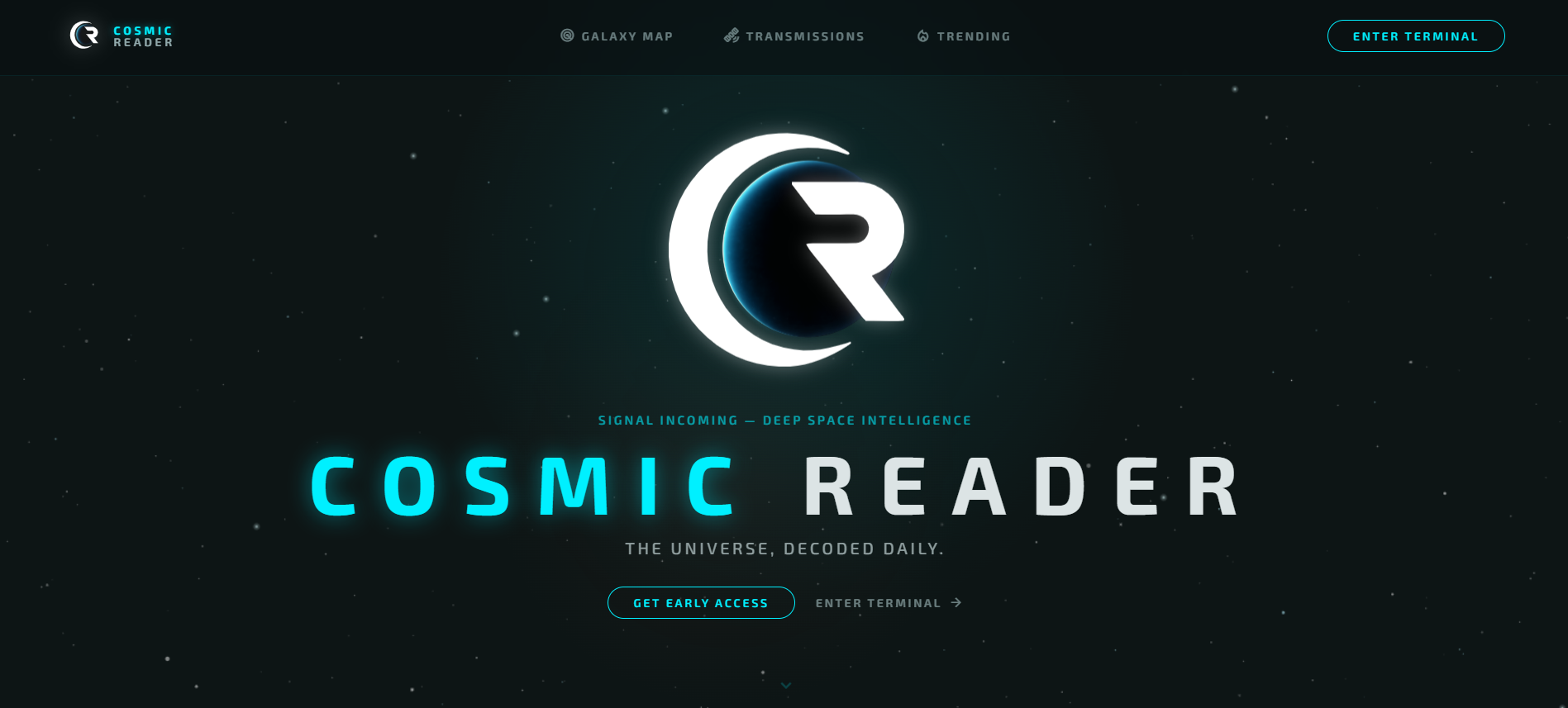
The brand reads as a calm deep space terminal: dark, quiet, and precise, with a glowing planetary mark and a cyan signal accent. The voice is confident but unhurried, framing the product as intelligence rather than a feed. The tagline sets the tone: the universe, decoded daily.
Landing page
The landing page leads with the mark and a single clear promise, then invites people to enter the terminal or get early access. It is built to introduce the concept fast and convert curiosity into a first visit, with the same hierarchy and CTA discipline I bring to client landing pages.
UI and UX flow
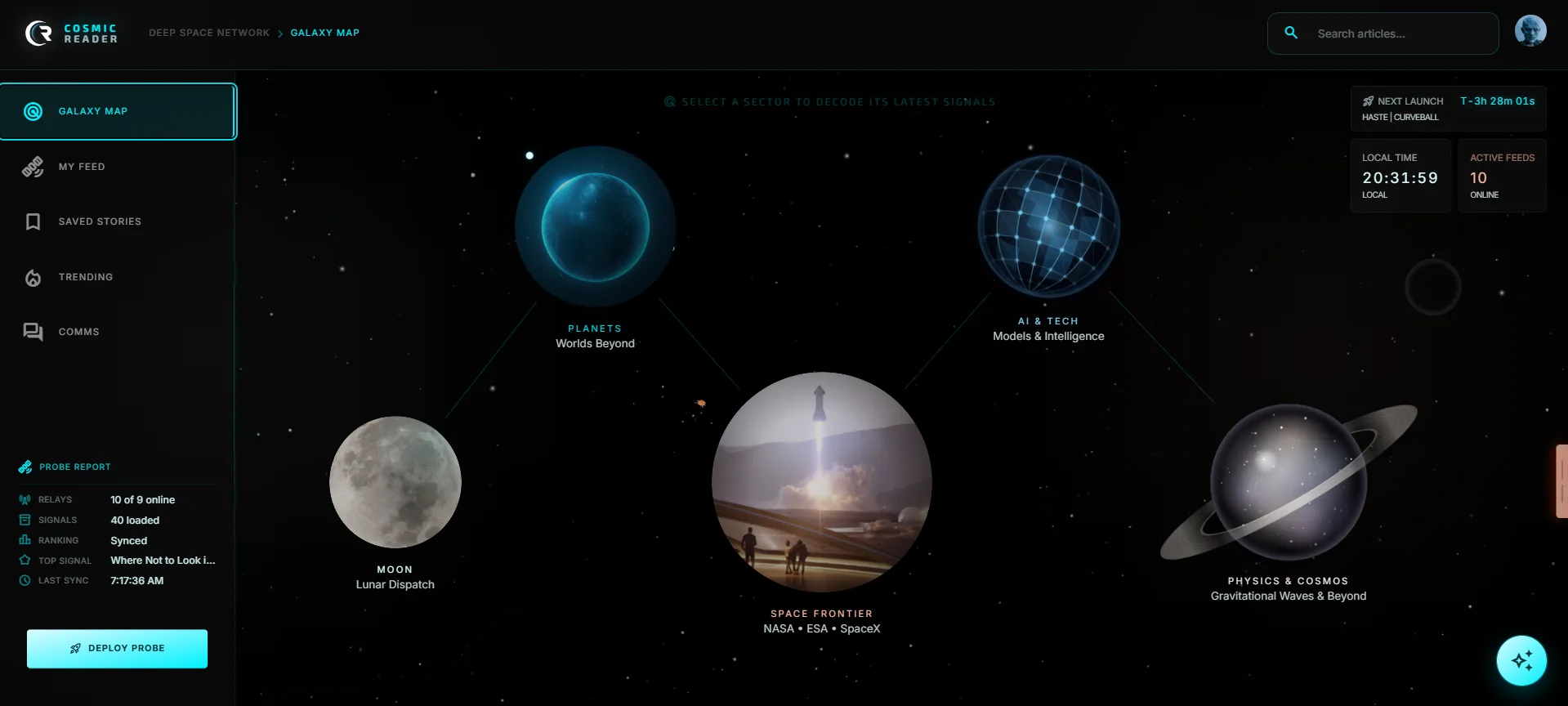
Navigation is the signature move. A galaxy map arranges five sectors as planets: Planets and Exoplanets, Space Frontier, Physics and Cosmos, Lunar Dispatch, and AI and Tech, connected by constellation lines. Tap a planet to drop into that sector’s feed, open an article panel, or jump to transmissions and trending. The flow turns browsing into exploration while keeping everything one tap away.
Reading experience powered by AI
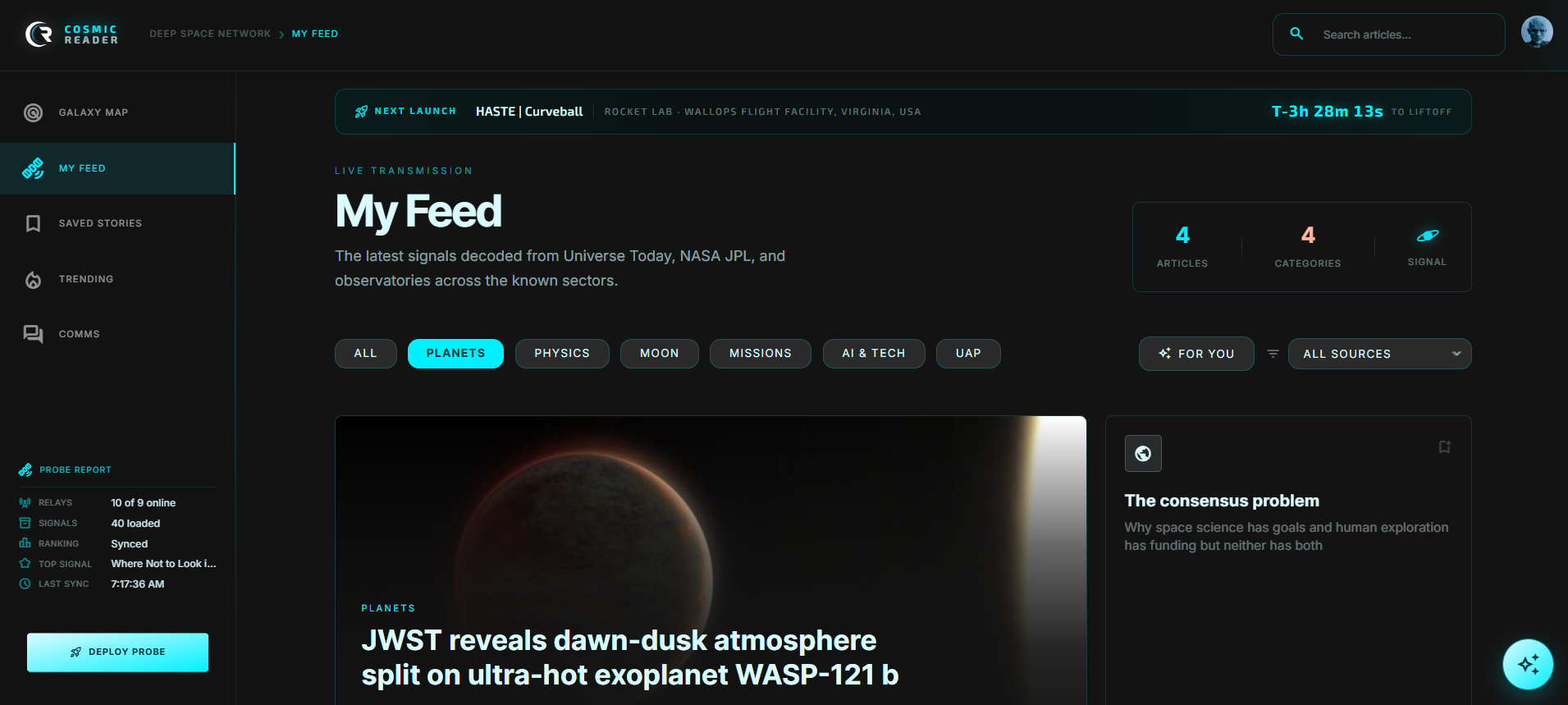
AI does the editorial heavy lifting. Each incoming story is classified into the right sector and checked for relevance, so unrelated noise is filtered out before it reaches you. Images are recovered and enriched server side so cards look complete, and the reading layer is designed to help you go deeper rather than bounce between tabs. The result feels curated, even though it updates itself.
Visual system
A consistent system holds it together: the planetary logo, a dark space canvas, cyan constellation lines and accents, and clean typographic cards for stories. Spacing and motion stay restrained so the content leads. The same tokens carry across the landing page, galaxy map, transmissions, and trending views.
Build and launch process
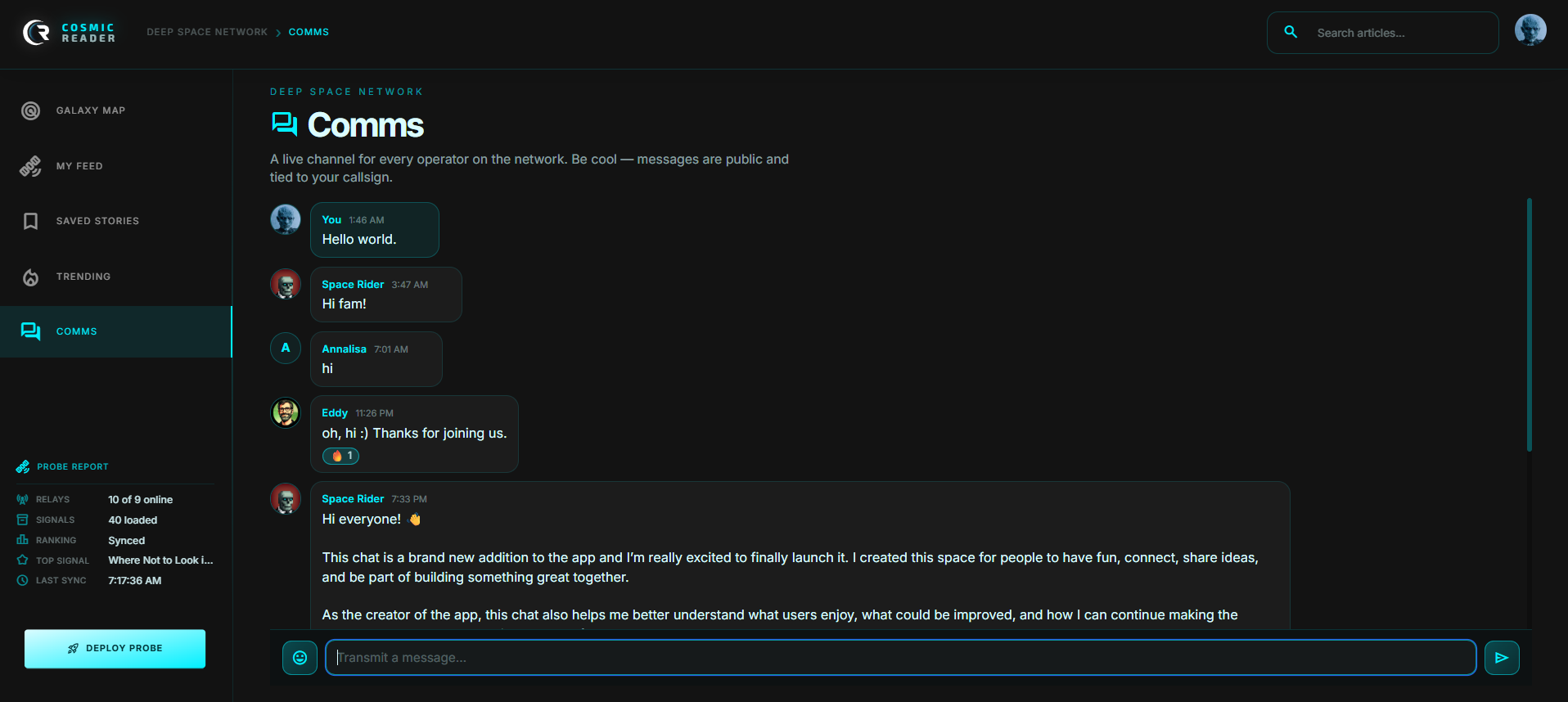
I built Cosmic Reader as a fast static front end in HTML, CSS, and JavaScript with Tailwind, deployed on Vercel. A single serverless function handles image enrichment by fetching preview images from source articles, and feeds are cached briefly in the browser for instant navigation between views. It is live at cosmicreader.app and updated continuously. The newest addition is Comms, a live public channel where readers connect and share feedback that shapes what I build next.
What it proves about me
Cosmic Reader is end to end evidence. I took a product from concept and brand through UX, interface, copy, and a working build assisted by AI, then shipped it and kept improving it. It shows I can own the whole arc of a web experience powered by AI, which is exactly what I do for clients.
Roadmap and what I would improve next
Next steps I am exploring: a personalized reading layer that learns what you care about, saved articles and a full dashboard, tighter source coverage as more publishers expose clean feeds, and richer summaries so each story can be understood at a glance. The goal is to grow it from a reader into a daily habit.